> For the complete documentation index, see [llms.txt](https://docs.xtreme1.io/xtreme1-docs/llms.txt). Markdown versions of documentation pages are available by appending `.md` to page URLs; this page is available as [Markdown](https://docs.xtreme1.io/xtreme1-docs/product-guides/data-curation/data-similarity-map.md).
# Data Similarity Map
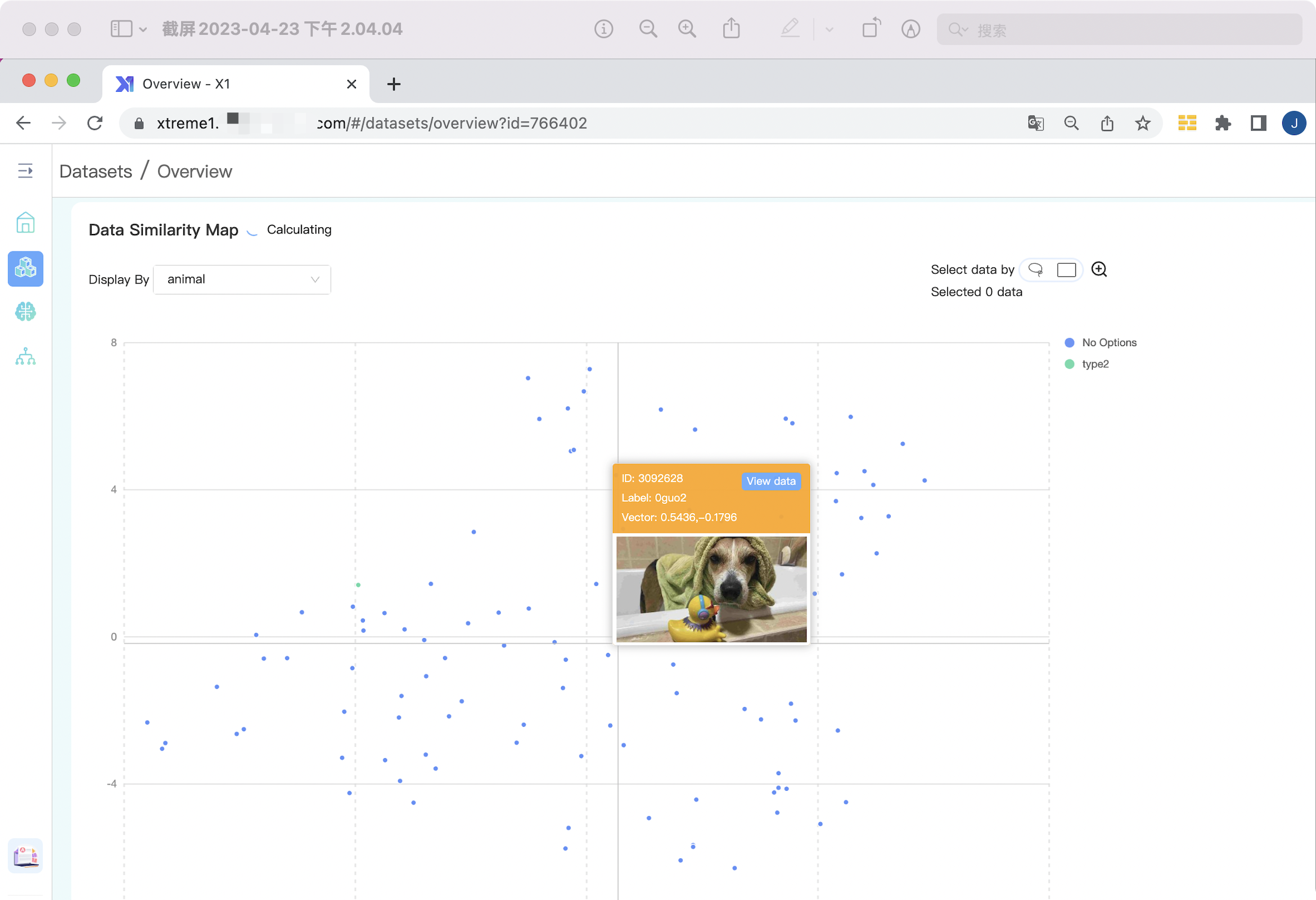
Data similarity map is a visual representation that shows the degree of similarity between data points in a dataset. It allows you to quickly understand how closely related or connected different data
## Find it in `Dataset` -> `Overview`
## Select Data
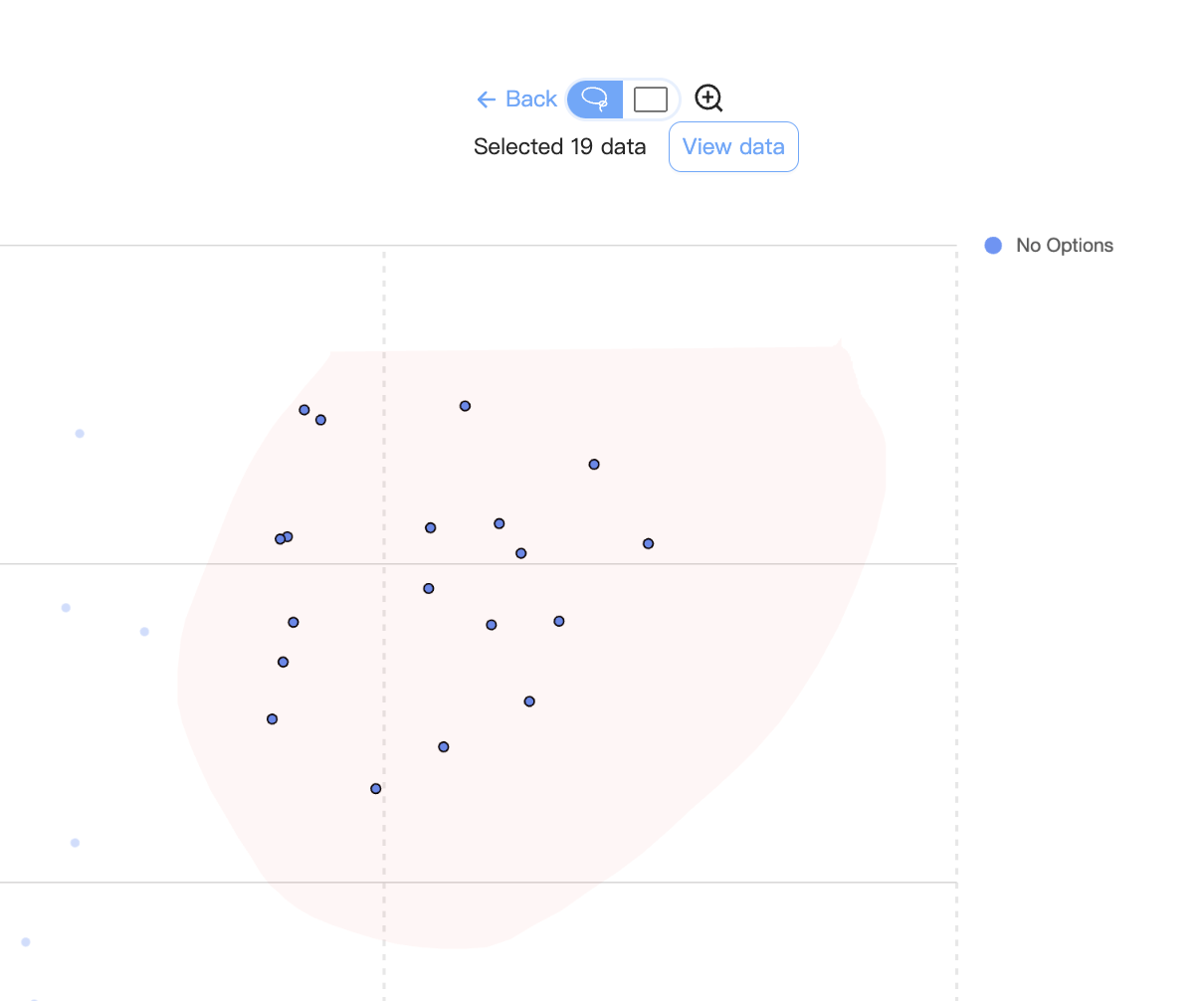
Use b-box or polygon tool to select data on the map.
## View Selected Data
Selected data can be displayed and save as a new dataset.
The data close to each other in the map shows that they have a high degree of similarity.
## Learn more tech details, see these two open source repos:
* [A PyTorch implementation of MobileNetV3](https://github.com/xiaolai-sqlai/mobilenetv3) is a convolutional neural network that is tuned to mobile phone CPUs through a combination of hardware-aware network architecture search (NAS) complemented by the NetAdapt algorithm, and then subsequently improved through novel architecture advances.
* [openTSNE](https://github.com/pavlin-policar/openTSNE) is a modular Python implementation of t-Distributed Stochasitc Neighbor Embedding (t-SNE), a popular dimensionality-reduction algorithm for visualizing high-dimensional data sets. openTSNE incorporates the latest improvements to the t-SNE algorithm, including the ability to add new data points to existing embeddings, massive speed improvements, enabling t-SNE to scale to millions of data points and various tricks to improve global alignment of the resulting visualizations.